





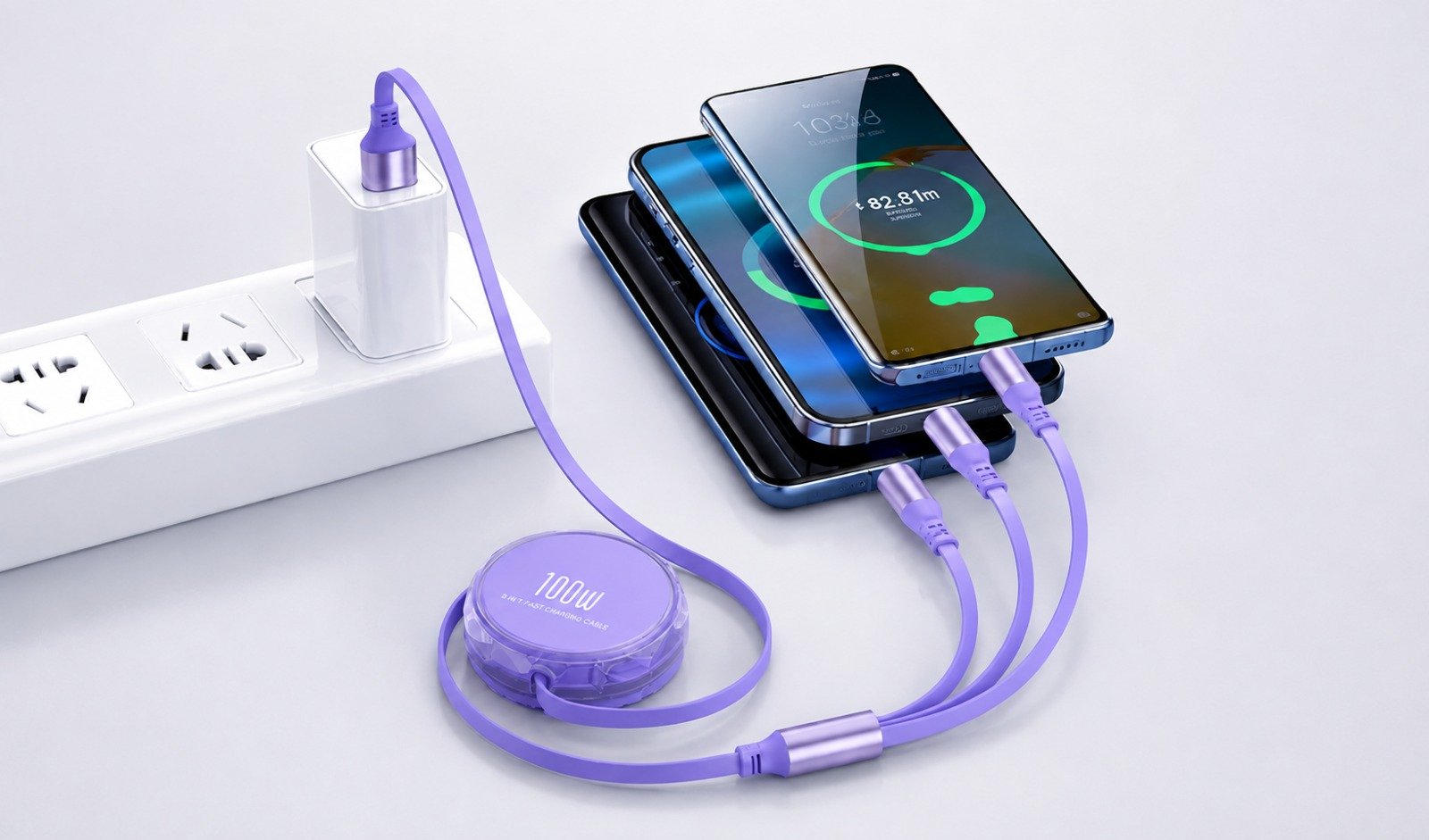
Multi Charging Cable -Today, most people use several electronic devices every day. Smartphones, wireless earbuds, Bluetooth speakers, power banks, tablets, smartwatches, and other gadgets may all require different charging connectors. Carrying a separate cable for every device can quickly become inconvenient, especially while travelling or working.
A multi charging cable provides a simple solution by combining multiple charging connectors into a single cable. Depending on the design, one cable may support USB Type-C, Lightning, Micro USB, or other commonly used connectors.
However, not every multi charging cable offers the same charging speed, durability, compatibility, or safety. Choosing the right cable is important for reliable everyday charging.
This complete buying guide explains how multi charging cables work, their benefits, important features, connector types, charging speeds, and what you should check before buying one.
What Is a Multi Charging Cable?
A multi charging cable is a charging accessory designed with multiple charging connectors in one cable.
Instead of carrying separate cables for different devices, users can connect compatible devices using different connector heads available on the same cable.
A typical multi charging cable may include:
USB Type-C connector
Lightning connector
Micro USB connector
USB-A or Type-C input
Some models are designed primarily for charging, while others may also support data transfer depending on their internal construction.
Multi charging cables are especially useful for users who own devices from different generations or brands.
Why Use a Multi Charging Cable?
The biggest advantage of a multi charging cable is convenience.
Imagine carrying a smartphone, Bluetooth speaker, wireless earbuds and power bank while travelling. If each device uses a different charging connector, you may need several individual cables.
A multi charging cable reduces this requirement by providing multiple connectors through one cable.
This can make your charging setup cleaner, easier to manage and more portable.
One Cable for Multiple Devices
A good multi charging cable can support several types of devices, depending on the connectors provided.
It can be useful for charging:
Android smartphones
Compatible iPhones
Bluetooth speakers
Wireless earbuds
Neckbands
Power banks
Tablets
Older Micro USB devices
Portable electronic accessories
Always check connector compatibility before purchasing.
Types of Connectors in Multi Charging Cables
Understanding connector types is one of the most important steps when choosing the best multi charging cable.
USB Type-C
USB Type-C has become one of the most widely used connectors in modern electronic devices.
It can be found in many:
Android smartphones
Tablets
Wireless earbuds
Bluetooth speakers
Power banks
Neckbands
Other portable electronics
The reversible connector design also makes Type-C convenient because it can be inserted in either orientation.
Lightning Connector
Lightning connectors are commonly associated with many older Apple devices.
A multi charging cable containing a Lightning connector can therefore be useful for households or workplaces where both Android and compatible Apple devices are used.
Newer Apple products increasingly use USB Type-C, so checking the exact device model remains important.
Micro USB
Micro USB was widely used before USB Type-C became common.
Many older devices still use Micro USB, including certain:
Bluetooth speakers
Power banks
Wireless accessories
Portable electronics
Older smartphones
A 3-in-1 cable containing Type-C, Lightning and Micro USB can therefore provide broad compatibility.
How to Choose the Best Multi Charging Cable
There are several factors you should consider before buying a multi charging cable.
1. Check Your Device Connectors
Start by checking which connectors your devices actually require.
For example, if your devices include Type-C, Lightning and Micro USB products, a 3-in-1 multi charging cable containing all three connectors may be suitable.
There is little benefit in buying a cable with connectors that you never use.
2. Check Charging Power
Charging speed is another important consideration.
Different cables may be designed for different charging outputs. Some are suitable for standard charging, while others are designed to support higher charging power with compatible chargers and devices.
Always remember that charging speed depends on the entire charging system, including:
Charger + Cable + Device
A high-power cable alone cannot make an unsupported smartphone charge at a higher wattage.
For example, if a charger provides a certain maximum output but the connected device accepts less power, charging will generally be limited by the device.
3. Look for Fast Charging Support
If fast charging is important to you, check whether the cable supports the charging standard required by your device and charger.
Terms such as fast charging should not be considered independently. Compatibility between the charging adapter, cable and device is essential.
A properly matched charging setup can provide faster and more efficient charging than an incompatible combination.
Can a Multi Charging Cable Charge Multiple Devices at Once?
Some multi charging cables are designed to connect multiple devices simultaneously.
However, this does not necessarily mean every connected device will receive the cable’s maximum advertised charging power.
When several devices are connected at the same time, available power may be distributed between them depending on the cable design and power source.
For example, charging three devices simultaneously from one USB port may produce different charging speeds compared with charging only one device.
Therefore, users who frequently charge several devices together should pay attention to the cable’s supported total output and the capacity of the charger.
Cable Build Quality Matters
Charging performance is important, but physical durability should not be ignored.
Charging cables are regularly bent, twisted, packed into bags and pulled during everyday use.
Poor-quality cables can develop problems near the connector joints or cable ends.
When choosing a multi charging cable, look for strong construction and reinforced connector areas.
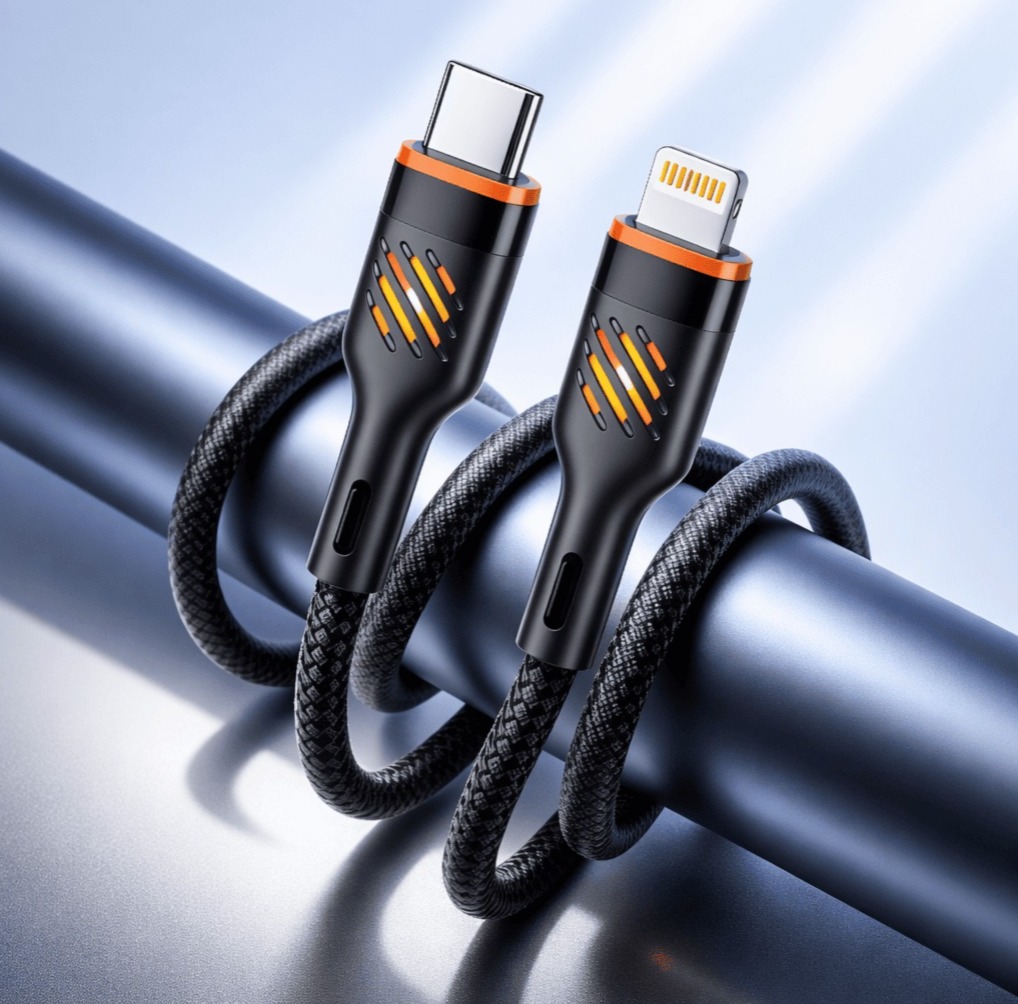
Braided Cable Design
Braided cables are popular because the outer layer can provide additional protection against everyday wear.
A good braided cable may offer:
Better resistance to bending
Improved durability
Reduced tangling
Better protection during travel
Premium appearance
However, braided construction alone does not guarantee quality. Internal wiring and connector construction are equally important.
Connector Strength
The point where the connector meets the cable is often one of the highest-stress areas.
Repeated bending can weaken poorly constructed cables over time.
Look for cables featuring reinforced joints, secure connector housing and proper strain relief.
These design features can help improve long-term durability.
Choose the Right Cable Length
Cable length directly affects convenience.
A very short cable may be inconvenient when the charging socket is far from your desk, bed or sofa. At the same time, an unnecessarily long cable can create additional clutter.
Common cable lengths may include approximately:
1 metre
1.2 metres
1.5 metres
2 metres
For normal everyday charging, around 1 to 1.5 metres is convenient for many users.
Longer cables can be useful for travel, offices, bedside charging or situations where the power outlet is farther away.
Charging Speed vs Cable Length
Cable length can influence electrical resistance.
Well-designed cables use suitable internal conductors to maintain stable charging performance across their intended length.
When buying a longer multi charging cable, build quality becomes even more important.
Instead of choosing a cable purely because it is longer, check its charging specifications and material quality.
Data Transfer Support
Not every multi charging cable supports data transfer through every connector.
Some multi cables are designed mainly for charging.
If you need to transfer photos, documents or other files between your phone and computer, check whether the product specifically mentions data transmission support.
Never assume that a charging cable automatically supports high-speed data transfer.
Multi Charging Cable for Travel
Multi charging cables can be particularly useful while travelling.
Instead of packing several individual cables, you can carry one compatible multi cable for multiple portable devices.
This can be useful for charging your:
Smartphone
Earbuds
Bluetooth speaker
Power bank
Neckband
Other travel accessories
It also helps reduce cable clutter inside backpacks and luggage.
For frequent travellers, choosing a durable braided cable with reinforced connectors can be especially useful.
Multi Charging Cable for Home
Modern households often contain devices using several connector types.
One family member may use a Type-C smartphone while another device still uses Micro USB or Lightning.
Keeping a multi charging cable in a common charging area can provide a convenient charging option for different devices.
It can also be useful as a backup charging cable.
Multi Charging Cable for Office Use
Offices and workspaces often have employees, visitors and clients using different devices.
Keeping a multi charging cable near a desk, meeting room or charging station provides a flexible solution without requiring several individual cables.
It can be particularly useful in:
Offices
Reception areas
Meeting rooms
Hotels
Co-working spaces
Retail counters
Travel desks
Multi Charging Cable for Car Charging
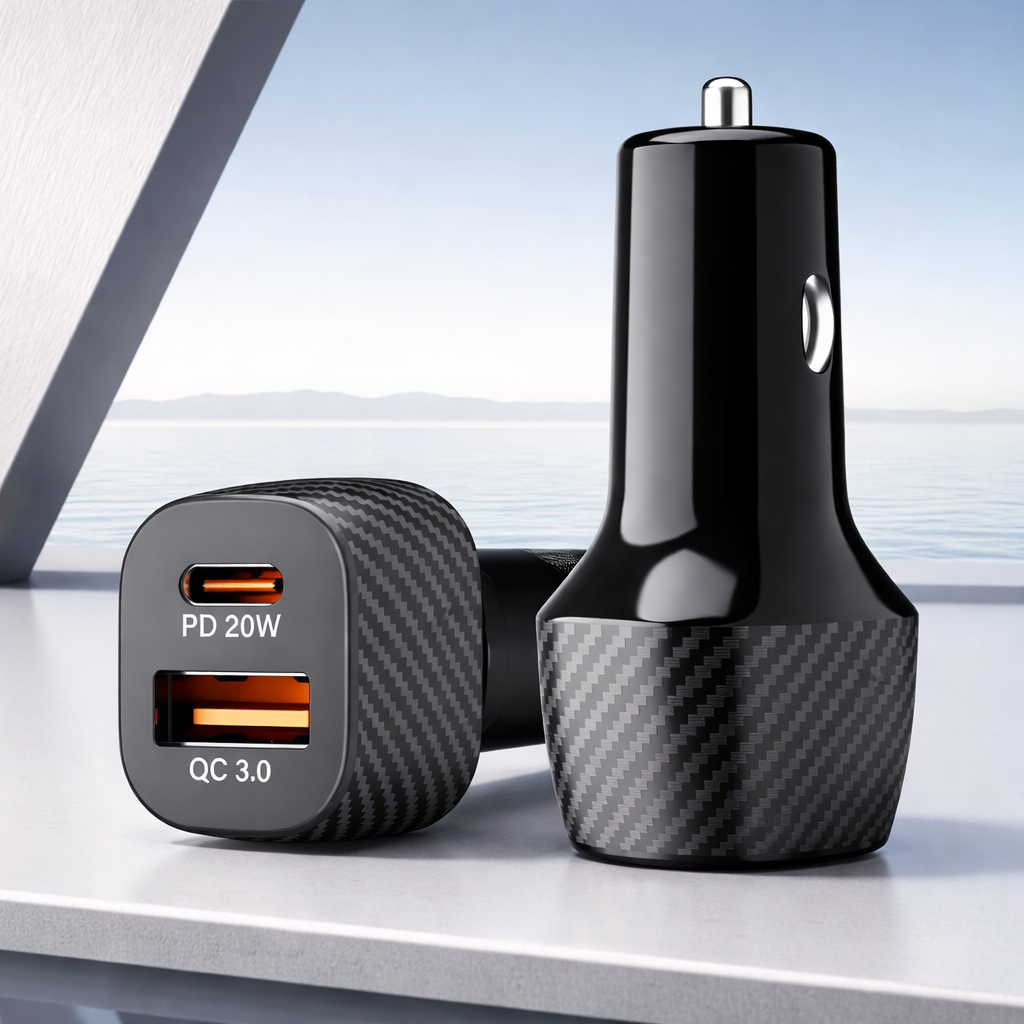
A multi charging cable can also be paired with a compatible USB car charger.
This setup can be useful when passengers use different smartphones or portable devices.
Before using one in a vehicle, check the output capacity of the car charger. If several devices are connected simultaneously, the charger must provide sufficient total output for effective charging.
Safety Features to Consider
Charging accessories should be selected carefully because poor-quality components can affect charging reliability.
Look for cables made using appropriate conductive materials, secure connectors and quality insulation.
A reliable cable should provide stable electrical connectivity without excessive heating during normal compatible use.
The charger itself should also include suitable electrical protection features.
Avoid Extremely Cheap, Unspecified Cables
Price is important, but buying solely based on the lowest price may not provide the best long-term value.
Very low-quality cables may use:
Thin internal wires
Weak connector joints
Poor insulation
Low-quality outer materials
Inconsistent connectors
This can result in slow charging, unstable connections or early cable failure.
Instead, compare specifications, materials, compatibility and build quality.
Multi Charging Cable vs Normal Charging Cable
A standard charging cable normally provides one primary connector combination.
For example:
USB-A to Type-C
A multi charging cable provides multiple output connectors through one cable.
The main advantage of a normal cable is simplicity and potentially more specialized charging or data capabilities.
The main advantage of a multi charging cable is versatility.
If you only charge one device and want maximum compatibility with a specific fast-charging standard, a dedicated cable may be preferable.
If you regularly use multiple connector types, a multi charging cable can be much more convenient.
3-in-1 Multi Charging Cable
One of the most popular configurations is the 3-in-1 charging cable.
It commonly combines:
Type-C + Lightning + Micro USB
This combination covers a wide variety of modern and older electronic devices.
A 3-in-1 cable is therefore useful for households, offices, travellers and users who regularly carry several electronic accessories.
Who Should Buy a Multi Charging Cable?
A multi charging cable can be a good choice for:
Multiple-device users: People who regularly charge smartphones, earbuds, speakers and power banks.
Travellers: Users who want to reduce the number of cables carried in their luggage.
Families: Households containing different phone brands and connector types.
Office users: Workspaces requiring flexible charging options for different devices.
Car users: Drivers who need a convenient cable for passengers with different charging ports.
Backup charging: Anyone who wants one versatile cable available for emergencies or occasional devices.
Important Features Checklist
Before purchasing a multi charging cable, check the following:
Required connector types
Supported charging output
Fast charging compatibility
Cable length
Braided or reinforced construction
Connector quality
Strain relief
Device compatibility
Data transfer support, if required
Simultaneous charging capability
Warranty or product support
Comparing these features will help you select a cable based on actual requirements rather than appearance alone.
Common Mistakes When Buying a Multi Charging Cable
Buying Only Based on Wattage
Higher advertised wattage does not automatically mean faster charging.
Your charger, cable and device must all support compatible charging specifications.
Ignoring Connector Compatibility
Always check your devices before purchasing.
Buying a 3-in-1 cable is useful only when its connectors match the devices you actually use.
Ignoring Build Quality
A charging cable is handled almost every day. Weak connectors or poor strain relief can reduce its lifespan.
Assuming Every Port Supports Data Transfer
Many multi charging cables prioritize charging rather than data transmission.
Check the specifications if file transfer is important.
Using an Underpowered Charger
When several devices are connected simultaneously, an underpowered charger may result in slower charging.
Choose a power source suitable for your charging requirements.
How to Make Your Multi Charging Cable Last Longer
Even a high-quality charging cable should be handled properly.
Avoid pulling the cable directly from the wire when disconnecting it. Hold the connector housing instead.
Try not to bend the cable sharply near its connector.
When travelling, coil the cable loosely instead of tightly folding it.
Keep charging connectors away from moisture, dust and excessive heat.
Proper handling can significantly improve the useful life of your charging accessories.
Is a Multi Charging Cable Worth Buying?
For users with multiple electronic devices, a multi charging cable can be a practical everyday accessory.
Its biggest advantage is versatility.
Instead of managing several separate charging cables, you can keep one cable capable of connecting to multiple compatible devices.
It is especially useful for travel, cars, offices, shared charging areas and backup charging.
However, the best cable is not simply the one with the largest number of connectors. Charging performance, connector compatibility, construction quality and safety should all be considered.
Frequently Asked Questions
What is the best multi charging cable?
The best multi charging cable depends on your devices. Look for the required connectors, suitable charging output, strong construction, reinforced joints and compatibility with your charger and devices.
Is a 3-in-1 charging cable useful?
Yes. A 3-in-1 cable can be useful for people who own devices using different charging ports because it combines multiple connectors into one cable.
Can I charge three devices simultaneously?
Some multi charging cables support simultaneous charging. However, charging speed may vary because available power can be distributed among connected devices.
Does a multi charging cable support fast charging?
Some models support fast charging, but actual charging speed depends on the cable, charger, connected device and supported charging protocol.
Which connectors should a multi charging cable have?
For broad compatibility, Type-C, Lightning and Micro USB are commonly useful connector options. Choose based on the devices you actually own.
Are braided multi charging cables better?
Braided construction can improve resistance to everyday wear and tangling. However, internal conductor quality and connector construction are also important.
Can multi charging cables transfer data?
Some can, but data transfer support varies by model and connector. Check the product specifications before purchasing if data transmission is required.
Can I use a multi charging cable in my car?
Yes, provided you use it with a compatible car charger offering suitable power output for the connected devices.
Final Thoughts
A multi charging cable for multiple devices is a convenient solution for people who want to simplify their everyday charging setup.
Whether you use Android smartphones, compatible Apple devices, Bluetooth speakers, earbuds, neckbands, power banks or older Micro USB accessories, the right multi cable can reduce the need to carry several separate charging cables.
Before buying, focus on connector compatibility, charging speed, cable durability, length, build quality and safety. If you need to charge several devices simultaneously, also check the total supported output and use an appropriate charging adapter.
Choosing a quality multi charging cable based on your actual devices can provide a cleaner, more convenient and reliable charging experience at home, in the office, in your car and while travelling.