







Benefits of Using a Mobile Stand for Desk & Work – Smartphones have become an important part of our daily work and personal routines. From attending online meetings and checking emails to watching tutorials, reading documents, and managing business communication, we use our phones for many different tasks throughout the day.
However, keeping a smartphone flat on a desk can be inconvenient. A mobile stand for desk and work provides a simple solution by keeping your phone upright, stable, and easily accessible.
In this guide, we will explore the major benefits of using a mobile stand at your desk and why it can be a useful accessory for work, study, entertainment, and everyday smartphone use.
1. Keeps Your Phone at a Convenient Viewing Angle
One of the biggest advantages of a mobile stand is that it keeps your smartphone positioned at a comfortable viewing angle.
Instead of repeatedly picking up your phone from the desk, you can simply look at the screen while it remains in the stand.
This can be useful for:
- Checking notifications
- Reading messages
- Viewing emails
- Checking calendars
- Following instructions
- Monitoring work-related information
A suitable viewing angle can also make the screen easier to see while you are working at your desk.
2. Helps Keep Your Desk Organized
A phone lying randomly on your desk can take up valuable space and make your workspace look cluttered.
A mobile stand gives your smartphone a dedicated place.
You can keep your:
- Smartphone
- Keyboard
- Mouse
- Notebook
- Documents
- Other desk accessories
organized more efficiently.
A cleaner desk can make it easier to focus on the task in front of you.
3. Useful for Video Calls and Online Meetings
Mobile stands can be especially useful for video calls.
Whether you are attending a business meeting, online class, interview, or video conference, placing your smartphone on a stable stand can provide a more consistent camera position.
Instead of holding your phone throughout the call, you can place it securely on the stand and keep your hands free.
This can be useful for:
- Video meetings
- Online classes
- Virtual interviews
- Video conferences
- Family video calls
4. Provides Hands-Free Smartphone Use
A mobile stand allows you to use your smartphone without continuously holding it.
For example, you can place your phone on the stand while:
- Watching a tutorial
- Following a recipe
- Reading instructions
- Watching videos
- Listening to content
- Checking information while working
This hands-free setup can be particularly convenient when you need to use your phone and perform another task at the same time.
5. Makes Watching Videos More Comfortable
Watching videos on a smartphone becomes more convenient when the device is positioned upright.
Instead of holding the phone for a long time or placing it flat on the table, you can use a stand to maintain a stable viewing position.
It can be useful for watching:
- YouTube videos
- Online courses
- Tutorials
- Movies and shows
- Product demonstrations
- Social media videos
6. Helps You Keep Notifications Visible
For work environments where quick communication is important, keeping your phone visible can be convenient.
A mobile stand allows you to see incoming notifications without constantly picking up your smartphone.
You can quickly check:
- Calls
- Messages
- Work notifications
- Calendar reminders
- Important alerts
This can save small amounts of time throughout the day.
7. Convenient for Students and Online Learning
Mobile stands are also useful for students.
Many students use smartphones to access educational videos, digital notes, online classes, and learning applications.
Placing the phone on a stand can make it easier to follow lessons while keeping books or notebooks on the desk.
For studying, a stand can be used for:
- Online classes
- Educational videos
- Digital textbooks
- Notes and references
- Research
- Study timers
8. Useful for Content Creators
People who create social media content can also benefit from a mobile stand.
A stable phone position can make it easier to record videos, take photos, or conduct live streams.
Depending on the design, a mobile stand can help with:
- Desk videos
- Product demonstrations
- Live streaming
- Video calls
- Tutorials
- Social media content
A stable setup can also make recording more convenient.
9. Better Desk Setup for Remote Work
Remote work often requires using multiple devices at the same time.
You may have a laptop or desktop computer while also using your smartphone for communication, authentication, calls, or notifications.
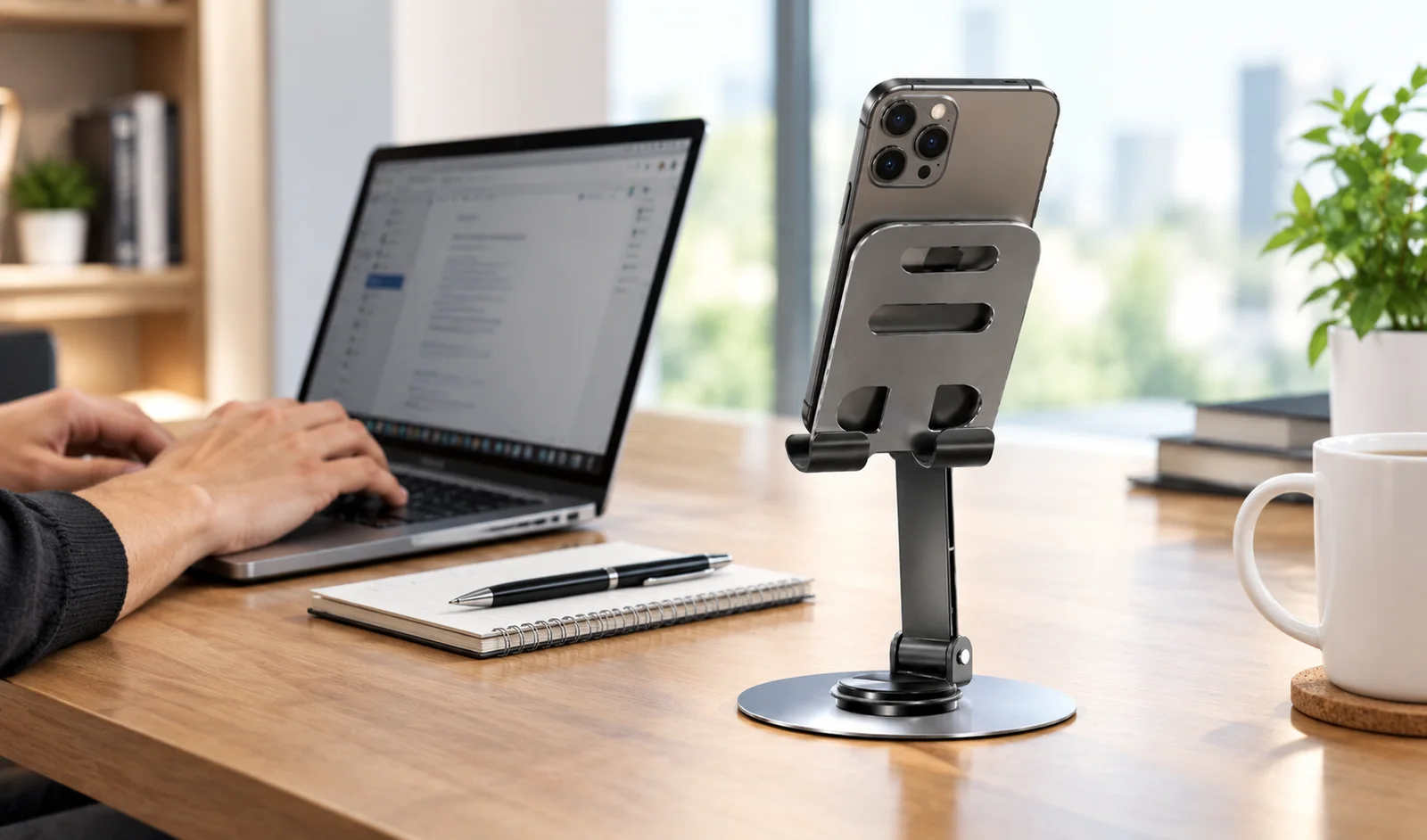
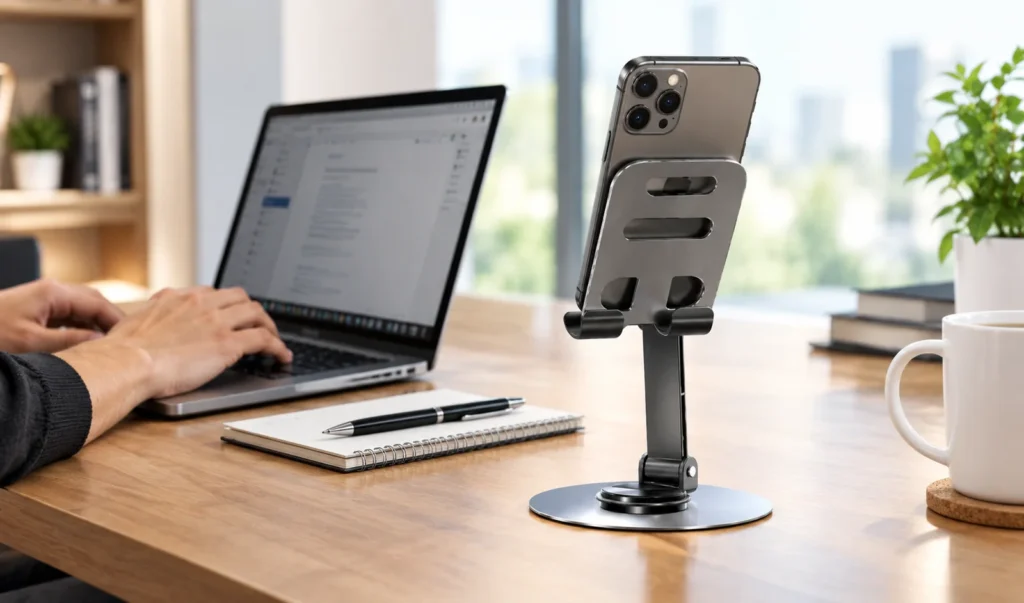
A mobile stand helps keep the smartphone in a fixed location next to your primary device.
This creates a more practical workstation and makes it easier to access your phone when required.
10. Can Be Helpful for Navigation
If you use your smartphone for navigation while working from a desk or temporarily in another location, a stand keeps the screen visible.
You can place your phone upright and easily view directions or other information without holding the device.
This can also be useful when using your phone as a secondary display for specific applications.
11. Protects Your Phone From Unnecessary Movement
A phone placed directly on a desk can easily be moved, covered by documents, or accidentally knocked.
A stable stand gives the smartphone a dedicated position.
Many mobile stands are designed with a supportive base and a surface that helps keep the phone in place.
This can reduce unnecessary movement during normal desk use.
12. Easy Access While Charging
Some mobile stands are designed to allow access to the smartphone’s charging port while the device is positioned on the stand.
This means you can potentially charge your phone while continuing to view the screen.
For example, you can keep the phone on the stand while:
- Charging
- Watching videos
- Monitoring notifications
- Using a timer
- Checking messages
Before purchasing, check whether the stand’s design is compatible with your charging cable and phone case.
13. Suitable for Different Smartphone Sizes
Many mobile stands are designed to accommodate a range of smartphone sizes.
However, it is always a good idea to check the stand’s dimensions and weight capacity before buying.
If you use a large smartphone or a thick protective case, make sure the stand has enough space to hold the device securely.
14. Portable and Easy to Use
Many mobile stands are compact and lightweight.
This makes them convenient for people who move between different workspaces.
You can use a mobile stand at:
- Home
- Office
- Study table
- Bedroom
- Kitchen
- Travel workspace
A foldable design can be especially convenient because it takes up less space when stored or transported.
15. A Simple and Affordable Desk Accessory
One of the most attractive features of a mobile stand is its simplicity.
You do not need complicated technology to make your desk more convenient. A basic stand can provide a stable and accessible position for your smartphone.
Depending on the design and materials, mobile stands are available in different styles and price ranges.
This makes them an accessible accessory for students, professionals, content creators, and everyday smartphone users.
How to Choose the Right Mobile Stand for Your Desk
Before buying a mobile stand, consider your requirements.
Check the Build Quality
Choose a stand that feels stable and can support your smartphone without easily tipping over.
Consider Adjustability
If you frequently use your phone at different angles, an adjustable stand may provide greater flexibility.
Check Compatibility
Make sure the stand can accommodate your smartphone size and protective case.
Look for a Stable Base
A wider or well-designed base can provide better stability, particularly when tapping or interacting with the phone.
Consider Portability
If you work from multiple locations, a foldable and lightweight design can be more practical.
Check Charging Access
If you plan to charge your phone while it is on the stand, make sure the charging port remains accessible.
Who Can Benefit From a Mobile Stand?
A mobile stand can be useful for many different users.
Professionals: For calls, notifications, meetings, and remote work.
Students: For online classes, tutorials, and digital study material.
Content Creators: For recording videos, live streams, and product demonstrations.
Home Users: For watching videos, recipes, and entertainment.
Gamers: For keeping the smartphone positioned conveniently during gaming.
Frequent Travelers: For creating a simple mobile workstation wherever they work.
Mobile Stand vs. Keeping Your Phone Flat on the Desk
Keeping a phone flat on a desk may seem convenient, but it makes the screen harder to see from a distance and requires you to pick up the device frequently.
A mobile stand keeps the smartphone elevated and visible.
| Feature | Without a Stand | With a Mobile Stand |
|---|---|---|
| Screen visibility | Limited | Better |
| Hands-free use | Difficult | Convenient |
| Video calls | Less stable | More stable |
| Desk organization | More clutter | More organized |
| Watching videos | Requires holding phone | Hands-free |
| Charging while viewing | Less convenient | Can be easier, depending on design |
Final Thoughts
A mobile stand for desk and work is a simple accessory that can make everyday smartphone use more convenient.
From keeping your phone visible and organized to supporting video calls, online learning, entertainment, charging, and content creation, a mobile stand can fit into many different daily routines.
When choosing one, focus on stability, compatibility, viewing angle, build quality, portability, and charging access. Selecting a stand based on your actual usage can help you create a more comfortable and organized workspace.
Whether you work from home, study online, manage business communication, or simply enjoy watching content on your smartphone, a well-designed mobile stand can be a useful addition to your desk setup.