





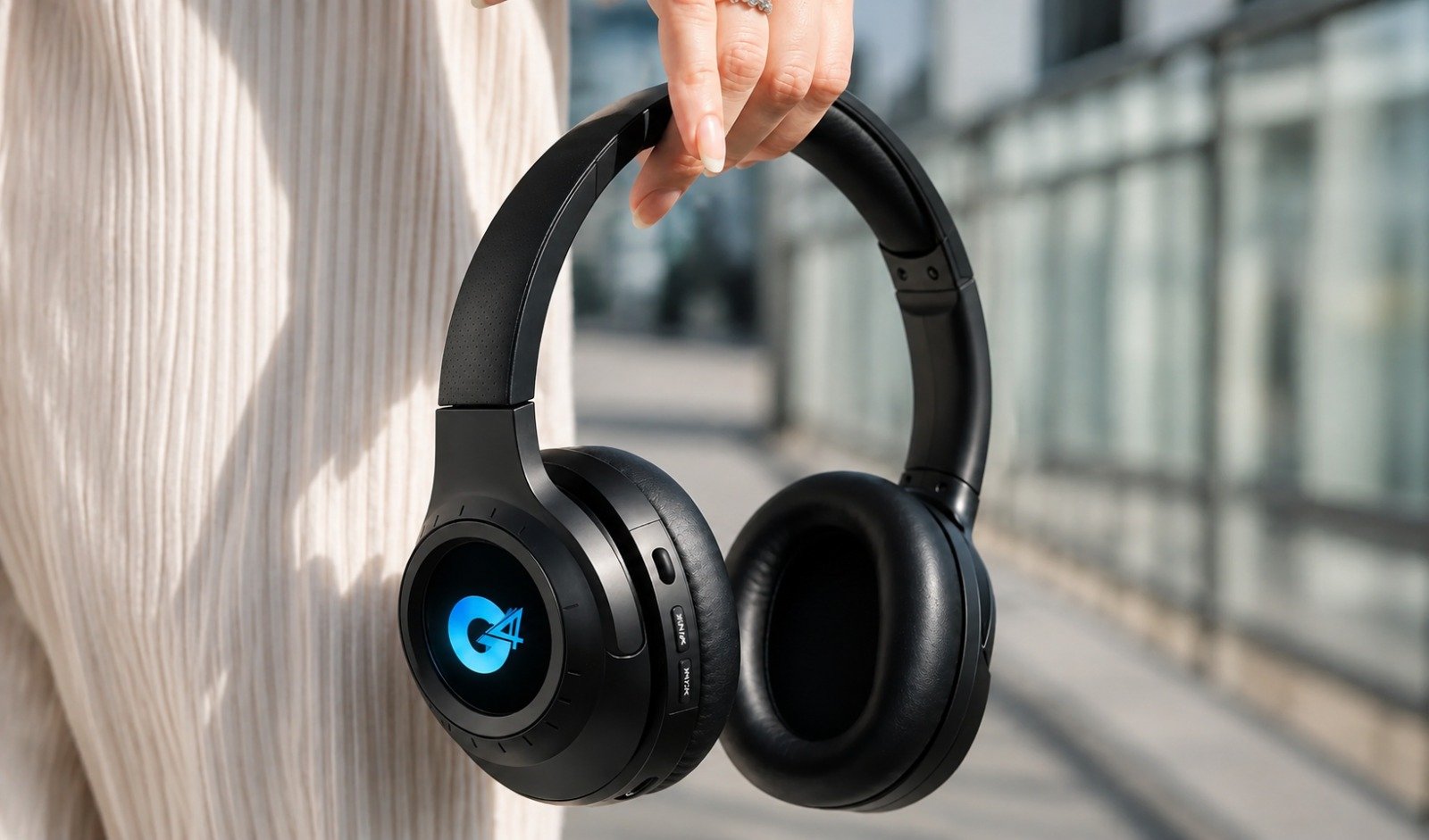
Headphones – How to Choose the Best Wireless Headphones – Wireless headphones have become one of the most versatile audio accessories for everyday use. Whether you listen to music, play mobile or PC games, attend online meetings, watch movies, or take frequent calls, a good pair of wireless headphones can make the experience more comfortable and convenient.
But choosing the best wireless headphones is not always simple. Some headphones are designed mainly for powerful music, some focus on gaming performance, while others prioritize microphone clarity and comfort for calls.
If you want one pair of headphones that works well for music, gaming, and calling, you need to look beyond just design and price.
This guide explains the most important features to consider before buying wireless headphones.
What Are Wireless Headphones?
Wireless headphones connect to smartphones, tablets, laptops, smart TVs, and other compatible devices using Bluetooth or another wireless connection.
Unlike traditional wired headphones, they don’t require a cable between the headphones and your device during normal wireless use.
They are commonly used for:
- Music listening
- Gaming
- Phone calls
- Online meetings
- Movies and videos
- Travel
- Work from home
- Online classes
- Everyday entertainment
The main advantage is freedom of movement without constantly managing wires.
Why Choose Wireless Headphones?
Wireless headphones are popular because they combine convenience with immersive audio.
1. Comfortable for Long Listening Sessions
Over-ear or on-ear headphones can be more comfortable for long sessions compared with smaller in-ear devices, particularly for users who don’t like wearing earbuds for hours.
Soft ear cushions and an adjustable headband can improve comfort while listening to music, gaming, or working.
2. Immersive Sound
Larger headphone drivers and over-ear designs can create a more spacious listening experience.
This can be useful for:
- Music
- Movies
- Games
- Podcasts
- Calls
Good headphones can provide a better sense of depth and separation between different sounds.
3. Wireless Freedom
Bluetooth headphones allow you to move around without being physically connected to your phone or laptop.
This is especially useful while:
- Working
- Travelling
- Exercising
- Attending calls
- Gaming casually
4. One Device for Multiple Uses
A versatile wireless headphone can replace several separate audio devices.
You can use the same pair for music during travel, gaming at home, and meetings during work hours.
Most Important Features to Check Before Buying Wireless Headphones
Choosing the right headphones depends on how you plan to use them.
1. Sound Quality
Sound quality should be one of your first priorities.
Good wireless headphones should provide a balanced combination of:
- Clear vocals
- Detailed mids
- Controlled bass
- Crisp highs
- Good instrument separation
For music, avoid choosing headphones only because they claim to have “extra bass.”
Powerful bass can be enjoyable, but too much bass can make vocals and instruments sound less clear.
The ideal sound signature depends on your preference.
For Music Lovers
Look for:
- Balanced sound
- Deep but controlled bass
- Clear vocals
- Good detail
- Wide soundstage
For Gaming
Look for:
- Clear footsteps
- Directional audio
- Controlled bass
- Good sound separation
For Calling
Look for:
- Clear voice reproduction
- Good microphone performance
- Minimal distortion
2. Driver Size
The driver is the component inside the headphone that produces sound.
Wireless headphones may use drivers such as:
30mm
40mm
50mm
Larger drivers can help produce powerful sound and deeper bass, but driver size alone does not determine audio quality.
Sound tuning, internal design, software processing, Bluetooth codec, and ear-cup construction also influence performance.
So, don’t assume a 50mm driver will automatically sound better than a properly tuned 40mm driver.
3. Bluetooth Version
Bluetooth connectivity directly affects the wireless experience.
A modern Bluetooth version can offer improvements in:
- Connection stability
- Power efficiency
- Pairing speed
- Range
- Audio performance
When comparing wireless headphones, look for newer Bluetooth versions where available.
However, Bluetooth version alone does not guarantee excellent performance. The quality of the headphone’s internal hardware and software also matters.
4. Low Latency for Gaming
Latency is one of the most important factors for gamers.
Latency refers to the delay between an event happening on screen and the corresponding sound reaching your headphones.
For example:
You fire a weapon in a game → the visual action happens → the sound reaches your headphones.
If the delay is too high, gaming can feel less responsive.
For gaming, look for features such as:
Low Latency Mode
Gaming Mode
Game Mode
Dedicated Low-Latency Connection
Lower latency is particularly useful for games such as:
- BGMI
- Free Fire MAX
- Call of Duty Mobile
- Racing games
- Action games
- Multiplayer shooters
For highly competitive gaming, wired headphones or dedicated gaming headsets can still provide lower latency than standard Bluetooth headphones.
5. Microphone Quality for Calling
If you regularly take phone calls or attend meetings, microphone quality is just as important as speaker quality.
A good microphone should capture your voice clearly without making it sound distant or muffled.
Look for headphones with:
- Built-in microphone
- Noise-reduction microphone
- ENC technology where available
- Clear voice pickup
What Is ENC?
ENC stands for Environmental Noise Cancellation.
It is primarily designed to reduce surrounding background noise captured by the microphone.
This can help during:
- Phone calls
- Online meetings
- Multiplayer gaming
- Video calls
- Online classes
Remember that ENC is mainly related to microphone performance and should not be confused with ANC.
6. ANC vs ENC
These two terms are often confused.
ANC – Active Noise Cancellation
ANC reduces external sounds that you hear through the headphones.
It can help reduce noises such as:
- Air conditioner sound
- Engine noise
- Office background noise
- Public transport noise
ANC is mainly for improving your listening experience.
ENC – Environmental Noise Cancellation
ENC focuses mainly on the microphone.
It helps reduce background noise picked up during calls or voice communication.
For users who want headphones for both travel and calling, a combination of ANC + good microphone noise reduction can be useful.
7. Battery Life
Battery life is extremely important in wireless headphones.
Depending on the model, wireless headphones may offer:
20 hours
30 hours
40 hours
50 hours or more
Long battery life is useful if you frequently:
- Travel
- Work long hours
- Play games
- Attend meetings
- Listen to music throughout the day
If you don’t want to charge your headphones every day, prioritize models with longer playback time.
Remember that features such as ANC may reduce total battery life.
8. Fast Charging
Fast charging can be useful when your headphones are running low and you don’t have time for a full recharge.
Some models can provide several hours of playback after a short charging session.
When comparing headphones, check:
- Charging time
- Charging port
- Fast-charging support
- Playback offered from a short charge
USB Type-C charging is generally more convenient for modern users because the same cable may already be used for other devices.
9. Comfort and Fit
Comfort becomes extremely important if you wear headphones for several hours.
Look for:
- Soft ear cushions
- Adjustable headband
- Lightweight construction
- Comfortable clamping pressure
- Breathable ear pads
- Flexible ear cups
Poorly designed headphones can cause discomfort around the ears or head after extended use.
Over-Ear vs On-Ear Headphones
Over-ear headphones surround the ears and can offer better comfort and isolation.
On-ear headphones sit directly on the ears and are usually more compact.
For long gaming, music, or work sessions, many users prefer over-ear designs.
10. Build Quality
Wireless headphones are often carried in bags, used while travelling, and folded repeatedly.
Good build quality improves durability.
Look for:
- Strong headband
- Durable hinges
- Quality ear cushions
- Flexible construction
- Secure adjustment mechanism
If the headphones are foldable, make sure the folding joints feel reliable.
Best Wireless Headphones for Music
For music, prioritize sound quality over gaming features.
A good music headphone should offer:
Balanced bass
Clear vocals
Good instrument separation
Detailed highs
Comfortable fit
Different users prefer different sound profiles.
Bass Lovers
Look for headphones with stronger low-frequency response without excessive distortion.
Vocal Music Lovers
Choose headphones with clear mids and good vocal separation.
Movie and Entertainment Users
A wider soundstage and powerful bass can make movies more immersive.
Best Wireless Headphones for Gaming
Gaming headphones need slightly different features.
Prioritize:
- Low latency
- Clear directional audio
- Good microphone
- Comfortable fit
- Long battery life
- Stable Bluetooth
Why Directional Audio Matters
In shooting games, sound can help you identify where an opponent is moving.
You may need to detect:
- Footsteps
- Gunshots
- Reloading
- Vehicles
- Nearby movement
A headphone with good sound separation can make these details easier to notice.
Is Heavy Bass Good for Gaming?
Not always.
Strong bass can make explosions exciting, but excessive bass can overpower footsteps and smaller sound details.
For competitive gaming, sound clarity is generally more useful than extremely heavy bass.
Best Wireless Headphones for Calling
For calls and online meetings, prioritize:
Microphone clarity
Comfort
Stable Bluetooth
Battery life
Noise reduction
A good calling headphone should make your voice sound clear even when used for longer conversations.
If you work from home or attend frequent video meetings, also check whether the headphones can remain comfortable for several hours.
Wireless Headphones for Work From Home
Wireless headphones can be a good choice for remote workers because they allow you to move around during meetings.
Useful features include:
- Clear microphone
- Long battery
- Comfortable ear cushions
- Stable laptop connectivity
- Easy controls
- Multipoint connectivity
What Is Multipoint Bluetooth?
Multipoint Bluetooth allows some headphones to stay connected to two devices at the same time.
For example:
Laptop + Smartphone
You may be listening to audio from your laptop and then receive a phone call without manually reconnecting your headphones.
This can be very useful for office users.
Wireless Headphones vs TWS Earbuds
Both have advantages.
Wireless Headphones
Better for users who want:
- Bigger sound
- Long listening sessions
- More immersive gaming
- Larger battery
- Comfortable home or office use
TWS Earbuds
Better for users who want:
- Compact design
- Lightweight portability
- Pocket-friendly charging case
- Fully wireless in-ear experience
If sound immersion and long-session comfort matter more, headphones may be the better choice.
Wireless Headphones vs Neckband
Neckbands are lighter and easier to carry, while headphones generally offer a more immersive listening experience.
Choose Wireless Headphones If:
- You want fuller sound
- You watch a lot of movies
- You play games for long periods
- You prefer over-ear comfort
- You work from a desk
Choose a Neckband If:
- You want something lightweight
- You travel frequently
- You prefer in-ear audio
- You want a more compact design
Wired vs Wireless Headphones
Wireless Headphones
Advantages:
- No cable restriction
- Better mobility
- Convenient for calls
- Easy smartphone connectivity
Limitations:
- Require battery charging
- Bluetooth can introduce latency
Wired Headphones
Advantages:
- Very low latency
- No charging required
- Simple connection
Limitations:
- Cable can restrict movement
- Some smartphones require adapters
For general music and calling, wireless headphones are usually more convenient.
For competitive gaming or professional audio work, wired headphones may still be preferable in some cases.
What Battery Life Is Good for Wireless Headphones?
Battery requirements depend on usage.
| Usage Type | Recommended Battery Range |
|---|---|
| Casual use | 15–25 hours |
| Daily music & calls | 25–40 hours |
| Heavy users | 40+ hours |
| Travel | 40+ hours preferred |
These are general recommendations.
Longer battery life is especially useful if you don’t want to recharge frequently.
What Features Should Gamers Prioritize?
If gaming is your main purpose, check these features first:
- Low latency gaming mode
- Good directional sound
- Clear microphone
- Comfortable ear cushions
- Long battery life
- Stable Bluetooth connectivity
- Easy controls
Avoid choosing a gaming headphone only because it looks aggressive or has LED lighting.
Actual audio performance matters more.
What Features Should Music Lovers Prioritize?
Music lovers should focus on:
- Balanced sound
- Good driver tuning
- Clear vocals
- Detailed bass
- Comfortable fit
- Good Bluetooth codec support
- ANC if frequently travelling
Sound signature is ultimately a personal preference.
Some users prefer deep bass, while others prefer neutral and detailed audio.
What Features Should Calling Users Prioritize?
For calling, focus on:
- Good microphone
- ENC or microphone noise reduction
- Stable Bluetooth
- Comfortable fit
- Long battery
- Multipoint connection
- Easy call controls
If calls are your priority, don’t select headphones based only on music quality.
Common Mistakes to Avoid When Buying Wireless Headphones
Buying Only for Bass
Heavy bass doesn’t automatically mean better audio quality.
Balance and clarity are also important.
Ignoring Comfort
Headphones that sound excellent but become uncomfortable after 30 minutes aren’t suitable for long sessions.
Ignoring Microphone Quality
Many users focus completely on speakers and then discover that call quality is poor.
Ignoring Latency
For gaming, Bluetooth delay can significantly affect the experience.
Choose a headphone with a low-latency mode if gaming is important.
Choosing Only by Driver Size
A larger driver does not automatically guarantee better audio.
Sound tuning matters just as much.
Ignoring Battery Life
If you are a heavy user, short battery life can quickly become frustrating.
Ignoring Device Compatibility
Make sure your headphones work properly with the devices you use most.
How to Choose the Best Wireless Headphones Based on Your Use
For Music
Choose:
Balanced sound + comfortable fit + good battery
For Gaming
Choose:
Low latency + directional audio + good microphone
For Calling
Choose:
Clear microphone + ENC + stable Bluetooth
For Travel
Choose:
ANC + long battery + foldable design
For Work From Home
Choose:
Comfort + multipoint + microphone clarity + long battery
For All-Round Use
Look for a balanced headphone offering:
Good sound + gaming mode + clear calling + long battery + comfortable design
This is often the best option for users who don’t want to purchase separate headphones for every activity.
Frequently Asked Questions
Which Wireless Headphones Are Best for Music?
For music, choose headphones with balanced sound, clear vocals, controlled bass, and comfortable ear cushions.
Are Wireless Headphones Good for Gaming?
Yes. Wireless headphones with a dedicated low-latency gaming mode can work well for casual and mobile gaming.
Are Bluetooth Headphones Good for Calling?
Yes, provided they have a good microphone and stable Bluetooth connection. ENC can also help improve voice clarity in noisy environments.
What Is Low Latency in Headphones?
Low latency means reducing the delay between on-screen activity and the sound reaching your headphones.
It is particularly useful for gaming and video content.
Is ANC Necessary in Wireless Headphones?
ANC is not necessary for everyone. It is most useful for users who frequently travel or work in noisy environments.
What Is the Difference Between ANC and ENC?
ANC reduces external sounds that you hear, while ENC primarily reduces background noise picked up by the microphone during calls.
How Much Battery Life Is Good for Wireless Headphones?
Around 25–40 hours is suitable for many users, while heavy users and travellers may prefer 40 hours or more.
Are Wireless Headphones Better Than Earbuds?
It depends on your needs. Headphones generally provide a more immersive and comfortable experience for long sessions, while earbuds are smaller and easier to carry.
Can I Use Wireless Headphones for Both Music and Calls?
Yes. Most modern wireless headphones can switch between music playback and phone calls.
Which Features Matter Most for Gaming Headphones?
Low latency, clear directional audio, microphone quality, comfort, stable connectivity, and battery life are the most important features.
Final Thoughts
Choosing the best wireless headphones for music, gaming, and calling requires balancing several features rather than focusing on a single specification.
For music, prioritize sound quality and comfort.
For gaming, prioritize low latency, directional audio, and microphone performance.
For calling, prioritize voice clarity, stable connectivity, and comfort.
If you want one headphone for all three purposes, look for an all-round model with balanced sound, low-latency mode, good microphone quality, long battery life, Bluetooth stability, and comfortable ear cushions.
The right wireless headphone should not only sound good—it should also match how you use it every day.